
 Oct 30,2026
 By:
By: Introduction
Shop Refurbished Laptops Today 🛒Here's a confession. The first refurbished laptop I helped a friend buy had a shiny i5 processor, 8GB of RAM, and a price that made us both grin. We took it home, pressed the power button, and then waited. And waited. Almost a full minute before the desktop showed up. The culprit wasn't the processor. It was the old spinning drive hiding inside.
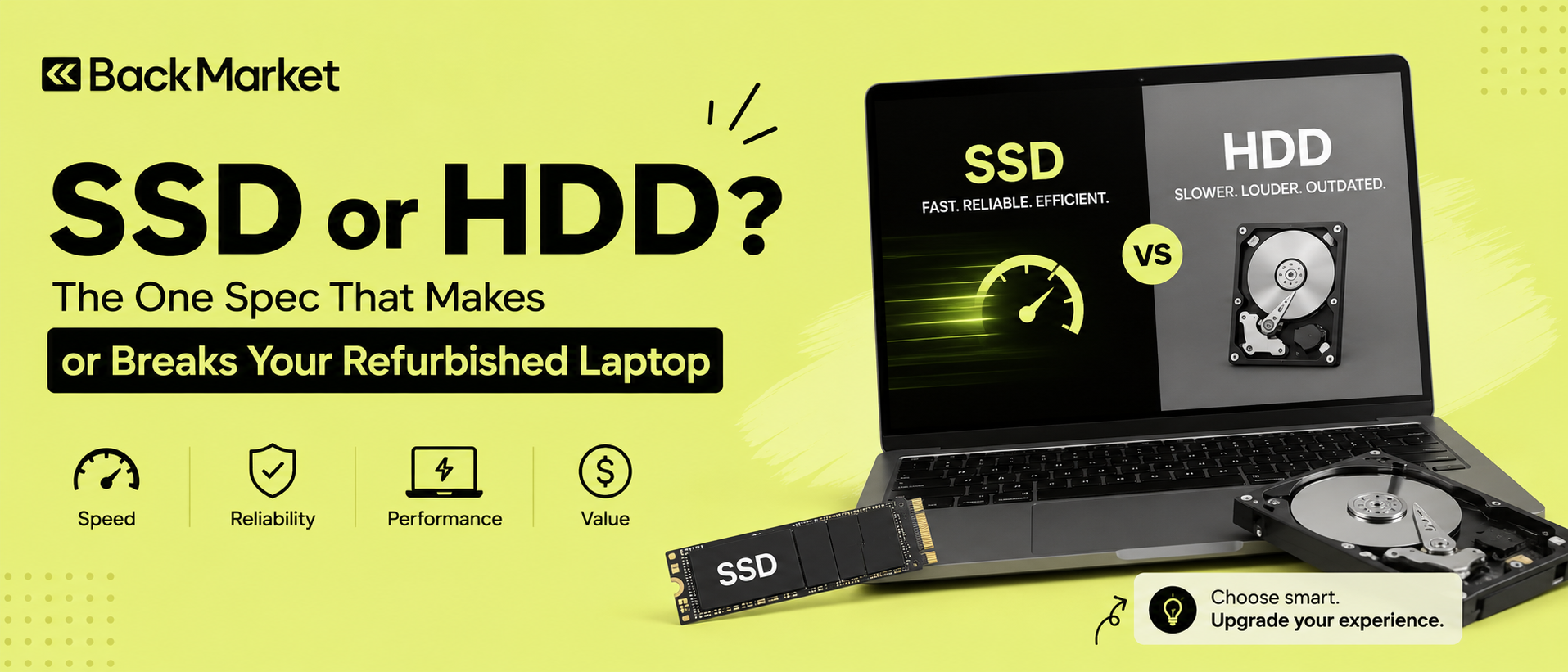
That's why the ssd vs hdd refurbished laptop debate matters so much. Specs like the CPU get all the attention on the listing, but storage quietly controls how fast everything opens, loads and saves. Pick wrong and a "great deal" turns into a daily annoyance. Pick right and a five-year-old machine can feel surprisingly fresh.
Planning to shop for one? Back Market is a great place to start, with a wide range of refurbished laptops where you can compare storage options and pick the drive that suits you.
So let's sort it out. No jargon walls, promise.
Why the SSD vs HDD Refurbished Laptop Choice Matters So Much
Think about what you actually do on a laptop. You boot it. You open Chrome with fourteen tabs (be honest, it's fourteen). You launch Word, maybe Excel, maybe a Zoom call. Almost every one of those actions starts with the same step: reading data from storage.If that step is slow, everything feels slow, no matter how good the processor is. A fast CPU waiting on a slow drive is like a sports car stuck behind a tractor. Pretty useless.
Refurbished laptops make this even more important. Many older business models, the ThinkPads, Dell Latitudes and HP EliteBooks that flood the refurbished market, shipped in both versions. Same model name, same screen, same keyboard, completely different experience depending on the drive inside. Two listings can look almost identical and feel like different generations.
So before you compare processors or RAM, check the drive type. Seriously.
What Is an HDD Laptop? The Hard Disk Drive Explained
A hard disk drive is the old-school option. Inside the metal case there are spinning platters, usually at 5400 or 7200 RPM, and a tiny read/write head that hovers over them and grabs your data. Picture a record player, only far more precise.An HDD laptop has real advantages. Storage is cheap, so you often see 500GB or 1TB drives in budget refurbished models. If you keep a huge photo library or years of downloaded files, that space is nice.
But there are downsides, and they're hard to ignore.
- It's mechanical. Moving parts mean noise, heat and wear. You may hear a faint hum, or a soft click when it's working hard.
- It's slow. Typical read speeds sit around 80 to 160 MB/s. That sounds fine on paper until you try opening a big program.
- It hates bumps. Drop a laptop with a spinning drive while it's running and the head can scratch the platter. Ouch.
What Is an SSD Laptop? The Solid State Drive Explained
A solid state drive has no moving parts at all. Data lives on flash memory chips, the same basic idea as a USB stick or the storage in your phone, only faster and much sturdier. Nothing spins. Nothing clicks. It's silent.An SSD laptop feels different from the moment you press the power button. Boot times often drop from around a minute to ten or fifteen seconds. Apps pop open almost instantly. Restarting after an update, which used to mean making tea, now takes about as long as a sip.
SSDs also come in a couple of flavors:
- SATA SSDs top out near 500 to 550 MB/s. Already several times faster than any HDD.
- NVMe SSDs plug into a different slot and can hit 2,000 to 7,000 MB/s on newer machines. Honestly, for everyday use you won't feel the gap between SATA and NVMe as much as you'd feel the jump from HDD to either one.
Laptop Speed Storage: The Real-World Difference
Numbers are fine, but let's talk about what you'd actually notice.Startup. A typical HDD laptop running Windows 10 or 11 can take 40 to 70 seconds to become usable. An SSD laptop usually does it in 10 to 20. That's not a small gap. Multiply it by every day you'll own the machine.
Opening programs. Photoshop, Chrome, a big spreadsheet. On an HDD you click, then stare, then maybe click again because you think nothing happened. On an SSD, the app just appears.
Multitasking. This one surprises people. When RAM runs low, Windows swaps data to the drive. With a hard disk drive, that swapping brings everything to a crawl. With a solid state drive, you barely notice it happening. So an SSD can make a modest 8GB laptop feel much more capable than the spec sheet suggests.
File copying. Moving large files is a mixed story. HDDs do okay with big continuous files, but the moment you copy thousands of tiny ones (think a folder of documents or a code project) they stall badly. SSDs handle both without fuss.
In short, laptop speed storage is the single upgrade that changes how a computer feels, more than extra RAM or a slightly faster processor.
Durability and Lifespan in Refurbished Machines
Now the worry everyone has. "It's used. Won't the drive be worn out?"Fair question. Let's be honest about both sides.
HDDs wear mechanically. Bearings age, heads degrade, and drives that have been bumped or run hot for years can develop bad sectors. Warning signs include clicking or grinding sounds, freezing, and files that suddenly won't open. An older HDD laptop can fail with little notice, and when it goes, your data may go with it.
SSDs wear differently. Flash cells can only be written so many times, measured as TBW (terabytes written). That sounds scary, but a modern consumer SSD is rated for hundreds of terabytes of writes. For normal use like browsing, office work and streaming, that's many, many years. Most people will replace the laptop before they wear out the drive.
Shock resistance is a big win for SSDs. No moving parts means a stumble in a backpack is far less dramatic.
There's one catch, though. In the refurbished world, a drive can be anywhere from nearly new to heavily used, and sellers don't always say which. Which brings us to the next point.
Cost and Capacity: Where HDDs Still Win (Sort Of)
Let's be fair to the hard disk drive. Per gigabyte, it's still cheaper. A 1TB HDD costs noticeably less than a 1TB SSD, and that gap shows up in refurbished listings too.You'll often see two typical configurations:
- A 128GB or 256GB SSD laptop
- A 500GB or 1TB HDD laptop
And here's something worth knowing: upgrading is easy on many refurbished models. A 2.5-inch SATA SSD can often replace an old HDD in about fifteen minutes with a small screwdriver. Prices for 256GB and 512GB SSDs have dropped a lot over the years. So if you find a great laptop with an HDD at a low price, swapping in an SSD can still make sense. Just check that the model supports it, and look up a video guide first (I always do, because I always forget a hidden screw).
How to Check the Drive Before You Buy
Don't just trust the listing. A few checks go a long way.- Read the exact specs. "256GB storage" alone tells you nothing. Look for the words SSD, NVMe or HDD. If it doesn't say, ask the seller directly.
- Ask about drive health. A decent refurbisher can share SMART data, the drive's built-in health report. Free tools like CrystalDiskInfo show it in seconds.
- Listen. If you can inspect it in person, power it on in a quiet room. Clicking, grinding or constant whirring from the drive area is a bad sign.
- Watch the boot. A slow startup on a machine claiming to be an SSD laptop is suspicious. Something's off.
- Check the warranty. Storage failures happen. Six months to a year of coverage is a good baseline for refurbished gear.
- Confirm a clean install. The drive should be wiped and the operating system freshly installed. Leftover files from the previous owner are a red flag.
Who Should Choose What?
Let me keep this simple, though real life is never perfectly simple.- Pick an SSD laptop if you work, study, or browse daily, you hate waiting, or you want the machine to last. Students, office staff, freelancers, parents using it for video calls: it's the better choice for almost everyone.
- An HDD laptop can still work if you need lots of cheap storage, the budget is really tight, and you'll use it lightly, maybe for basic documents and the occasional video. Even then, plan to upgrade the drive later.
- Consider a hybrid setup (SSD for the system, plus an external HDD for archives) if you have a big media collection. It's cheap and it works.
Final Thoughts
If there's one takeaway from the whole ssd vs hdd refurbished laptop discussion, it's this: don't let a big storage number fool you. A 1TB spinning disk sounds impressive. But a smaller solid state drive will make the laptop faster, quieter, tougher and more pleasant to live with, and that's what you'll feel every single day.Check the drive type first. Ask about health. Look at the warranty. And if the perfect laptop only comes with a hard disk drive, remember that swapping to an SSD is often cheap and quick.
Good storage turns an old laptop into a good one. Choose well, and your refurbished machine might surprise you.
Ready to find your next machine? Browse refurbished laptops on Back Market, filter by storage, and choose an SSD laptop that fits your budget.
Shop Refurbished Laptops Today 🛒
Explore the world of fashion, beauty, lifestyle, and entertainment with Funandflip – your daily dose of trendy tips, style inspiration, and everything fun, fabulous, and fresh in one place!
Read Our More Blogs:
What Is A Refurbished Game Console? A Quick Guide For Gamers
How Online Fashion Outlets Make Premium Style More Affordable
Whey Concentrate Vs Isolate Vs Hydrolysate: Which One Should You Actually Buy?
FAQs
1. Is an SSD laptop always better than an HDD laptop for refurbished purchases?
For most buyers, yes. It starts faster, opens apps quicker and handles bumps better. An HDD only wins on price per gigabyte, which matters mainly if you need huge storage on a tiny budget.
2. Can I replace the HDD in my refurbished laptop with an SSD?
Often, yes. Many laptops use a standard 2.5-inch SATA bay that accepts an SSD directly. Newer thin models may use M.2 slots instead. Check your exact model's manual or specs before buying a drive, and back up your data first.
3. How long does an SSD last in a refurbished laptop?
For normal daily use, a quality SSD can last many years, often longer than the laptop itself. Lifespan depends on how much data has already been written, so ask the seller for health information or check it yourself with a free tool such as CrystalDiskInfo.