
 Nov 11,2025
 By:
By: Introduction
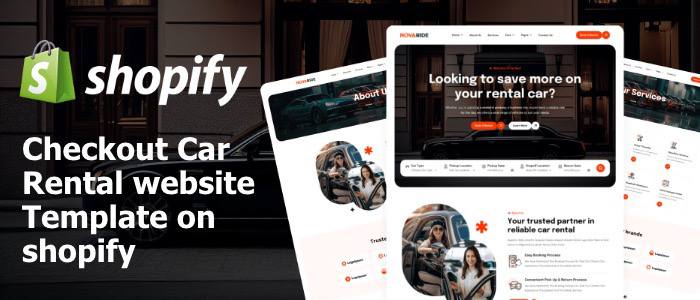
Finding a clean and functional car rental website template sometimes feels odd. Too many designs look fancy but don't work in real situations. A booking section here, a form there, and suddenly the whole thing becomes confusing. So this guide stays simple. The idea is plain: understand what a car rental website template brings, how it works on Shopify, and why so many rental businesses keep shifting toward ready-made layouts instead of building something from scratch, because building from scratch takes forever.
The whole space moves fast, so staying practical helps.
Why a Car Rental Website Template Works Better
A car rental website template removes that awkward guesswork around layout, colors, icons, pages, and even booking flow. Something like a vehicle rental business always needs fast navigation. A visitor opens the site, searches for cars, views the model, and tries to book without scrolling endlessly. That's the point. Templates built for rental booking usually include pre-made sections, pricing tables, booking calendars, car galleries, and contact blocks, all placed in logical spots. Not always perfect, but good enough, and sometimes that's more valuable than chasing perfect designs.
Setting Up the Template on Shopify
Setting up a car rental website template on the Shopify Store feels smoother than expected. After installing the template, sections appear like puzzle pieces: a header showing rental categories, the main banner with search filters, then boxes for compact cars, SUVs, luxury rentals, whatever fits the business. The admin panel shows drag-and-drop blocks, and changes are updated in real-time. A small tweak, a color shift, a different font - done. No coding frustration. There's a sense of "okay, this is manageable now," even when things look cramped during editing.
Design Elements That Matter More Than They Look
Inside a car rental website template, little design details feel strangely powerful. A bold CTA button, a box shadow around the car image, a soft grey background behind specifications, small touches that push the visitor to explore one more car, then another. Even an automotive template with minimal elements works if the spacing feels comfortable. There's also the subtle use of icons for fuel type, gear and seating - tiny visuals that help the user avoid reading too much text. Odd how these micro details change the whole experience.
Features That Improve Rental Booking Experience
Rental booking isn't only "select car - pay." A solid car rental website template includes filters for duration, kilometre limit, pickup location, and maybe drop-off time. Some templates come with date pickers that click softly, almost like tapping a hotel booking app. The flow should feel familiar. A good rental service website always makes choices obvious: which cars are available, what's booked, and what's coming soon. A clean booking flow avoids confusion, especially when visitors come late at night after scrolling through dozens of tabs. Yes, humans do that a lot.
Adding Real-World Images to the Template
Most vehicle rental business owners underestimate images. A car rental website template looks unfinished without real photos. Not stock pictures, the real car parked outside, sunlight hitting the bonnet a bit unevenly, maybe a slightly dusty tyre. Real-world visuals add trust. It sounds strange, but customers often recognize authenticity subconsciously. A crisp template paired with raw car images creates a blend of professional plus personal. That combination works far better than overedited pictures that look oddly perfect.
Optimizing the Template for Mobile Users
Scrolling through a car rental website template on mobile feels different. Fingers tap faster, thumbs swipe more. Mobile visitors exit quickly if loading slows or buttons appear too tiny. On Shopify App themes, mobile optimization comes built-in, but adjustments still help with bigger buttons, shorter text & fewer distractions. The booking form benefits from collapsed sections, making it less heavy. Mobile behaviour stays unpredictable at times, but templates reduce that unpredictability enough to trust the process.
SEO Practices That Support the Template
Sometimes, a car rental website template looks great but doesn't rank anywhere. That's where SEO comes in. Adding simple phrases like "best car rental services," "vehicle rental business," and "rent a car near me" inside product descriptions and blog sections helps search engines understand the site better. Not too polished. Not robotic. More like natural bits of information spread across pages. Even alt text on images boosts ranking, something very few users remember after uploading photos.
Customizing the Template Without Overdoing It
There's a moment during customization where everything feels "almost perfect," and then suddenly the urge to tweak more kicks in. A typical trap. A car rental website template works best when kept clean. Too many banners or extra icons often clutter the experience. Simple backgrounds, readable fonts & clear buttons usually outperform fancy animations... It's strange, but minimal feels more professional in the rental niche. So, stopping at the right time helps more than adding one more block just because the space is empty.
Final Thoughts
A good car rental website template on the Shopify Theme Store simplifies the rental business journey. It offers structure, pre-built booking designs and a ready to use layout that saves hours or days. The right template guides visitors smoothly, builds trust & supports a clean rental booking workflow. The whole process may seem overwhelming at first, but once the template settles into shape, the website becomes a functional tool for growing the vehicle rental business.
Explore the world of fashion, beauty, lifestyle, and entertainment with Funandflip – your daily dose of trendy tips, style inspiration, and everything fun, fabulous, and fresh in one place!